How to improve the quality of a photo for a funeral
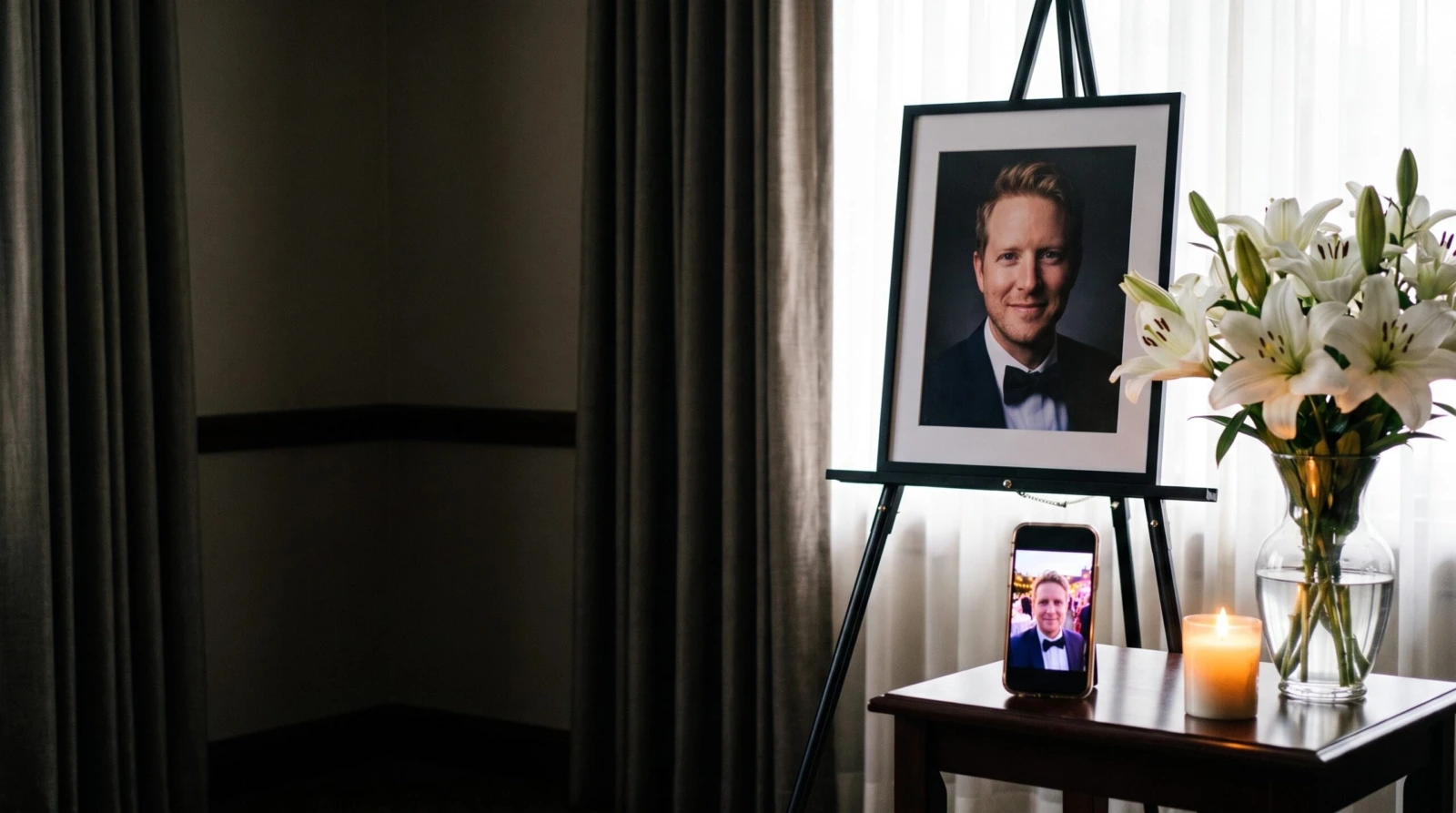
Even an ordinary phone photo, an old print or a blurry picture can become a studio-quality portrait. Here is which photo to choose and how to order a print-ready file.
How do you improve the quality of a photo for a funeral when the only good picture of your loved one is a wedding snapshot taken on a phone, an old print or a shot from a family gathering? Photos like these hold what matters most — the face, the smile, the character — but on a large print beside the coffin or urn they look dull and blurry.
At Deseo Memorials we improve photos like these to the quality you would expect from a portrait taken in a photo studio. You order online and print the finished file at a photo shop near the service. The service is used by families who want everything ready in time for the funeral, and by funeral directors and stonemasons who receive very poor photos from families.
What studio quality means
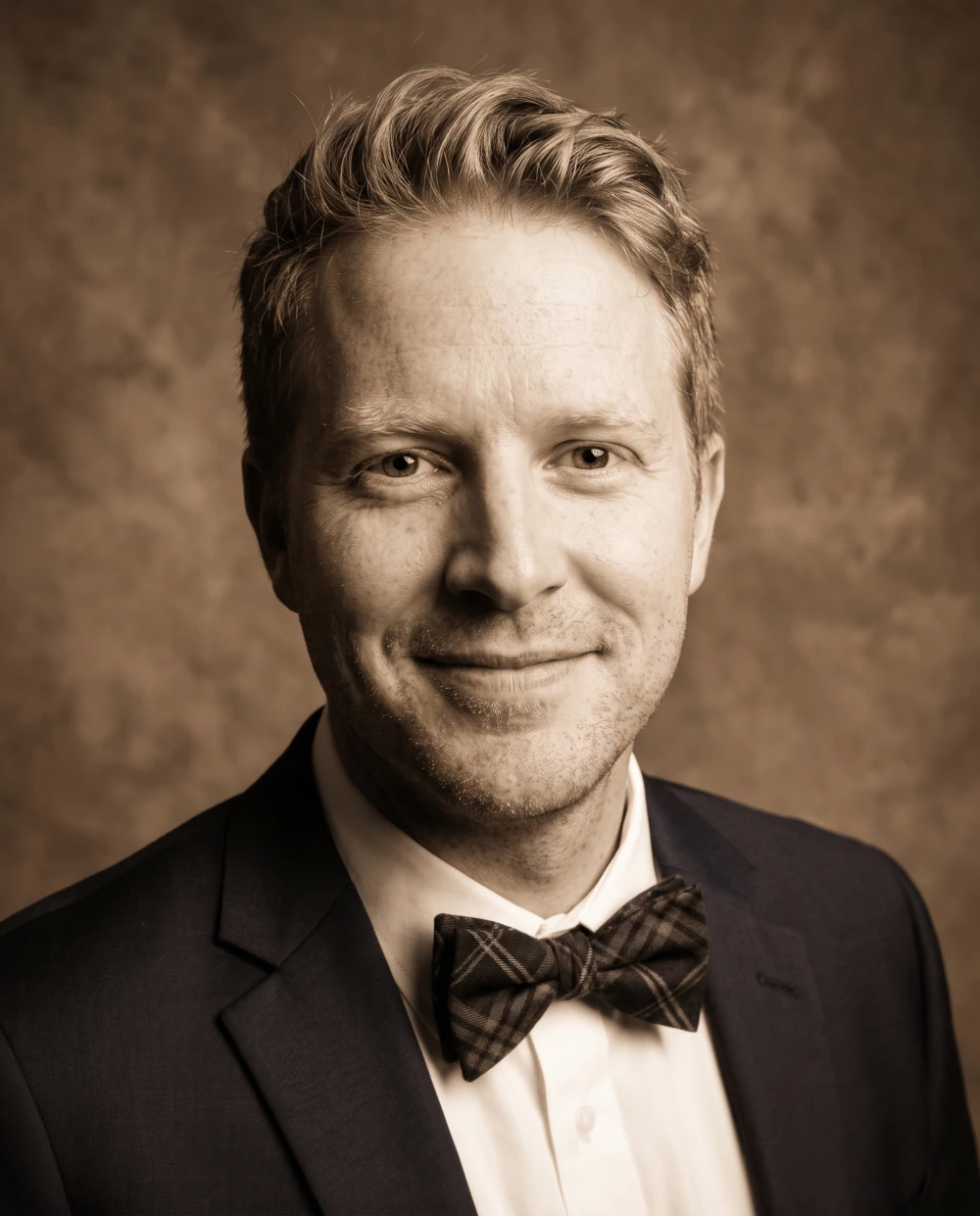
You can recognise a portrait taken in a photo studio straight away, even if you know nothing about photography. That is how the photo we prepare from your file looks:
- a calm, even background — instead of guests, tables and party lights,
- soft, even light on the face, with no harsh shadows or glare,
- sharp eyes, eyebrows and hair — this is how we recognise a face,
- natural colours — without a purple or yellow cast from the lights,
- a crop that suits the print — so the portrait looks right in its frame.
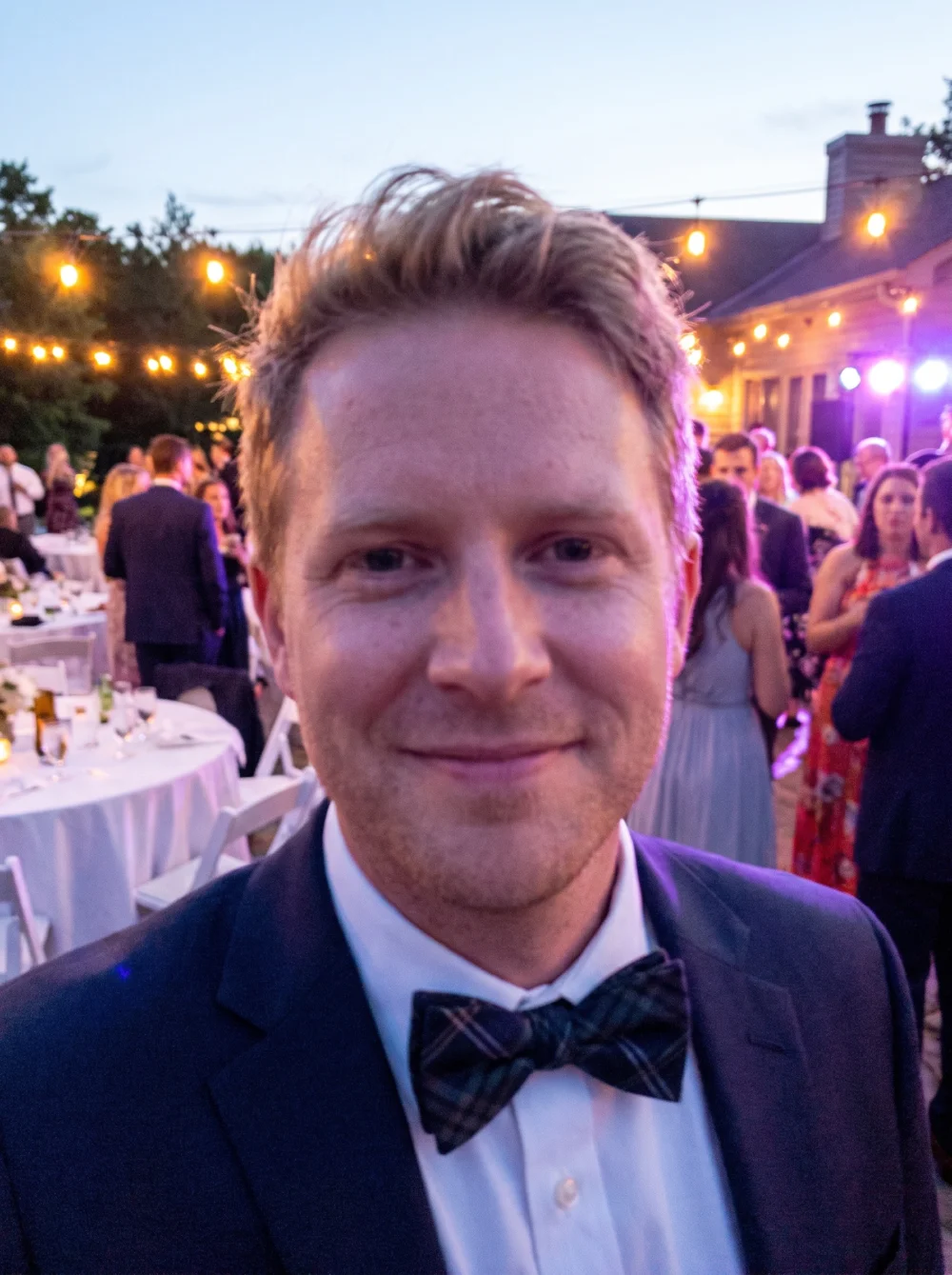
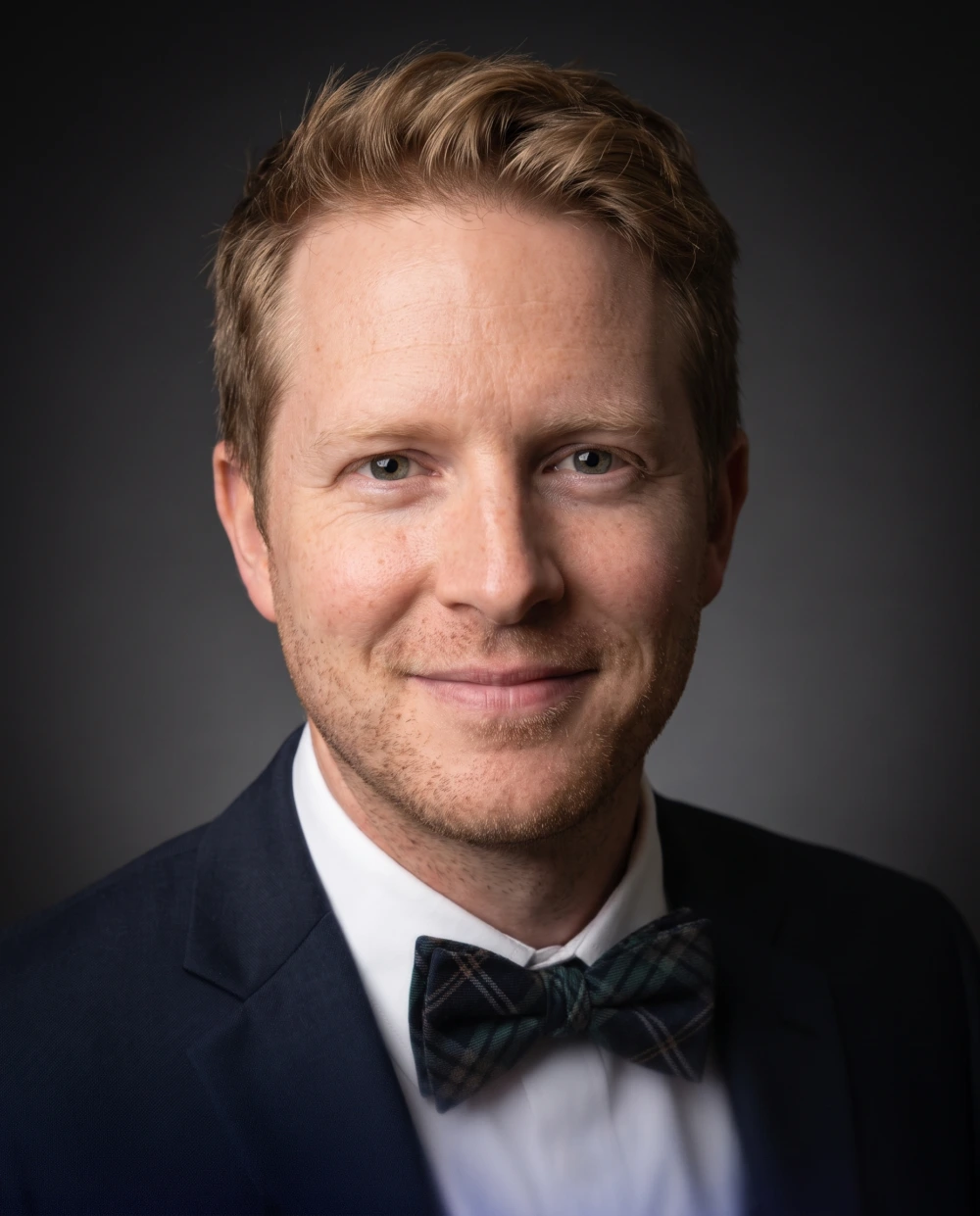
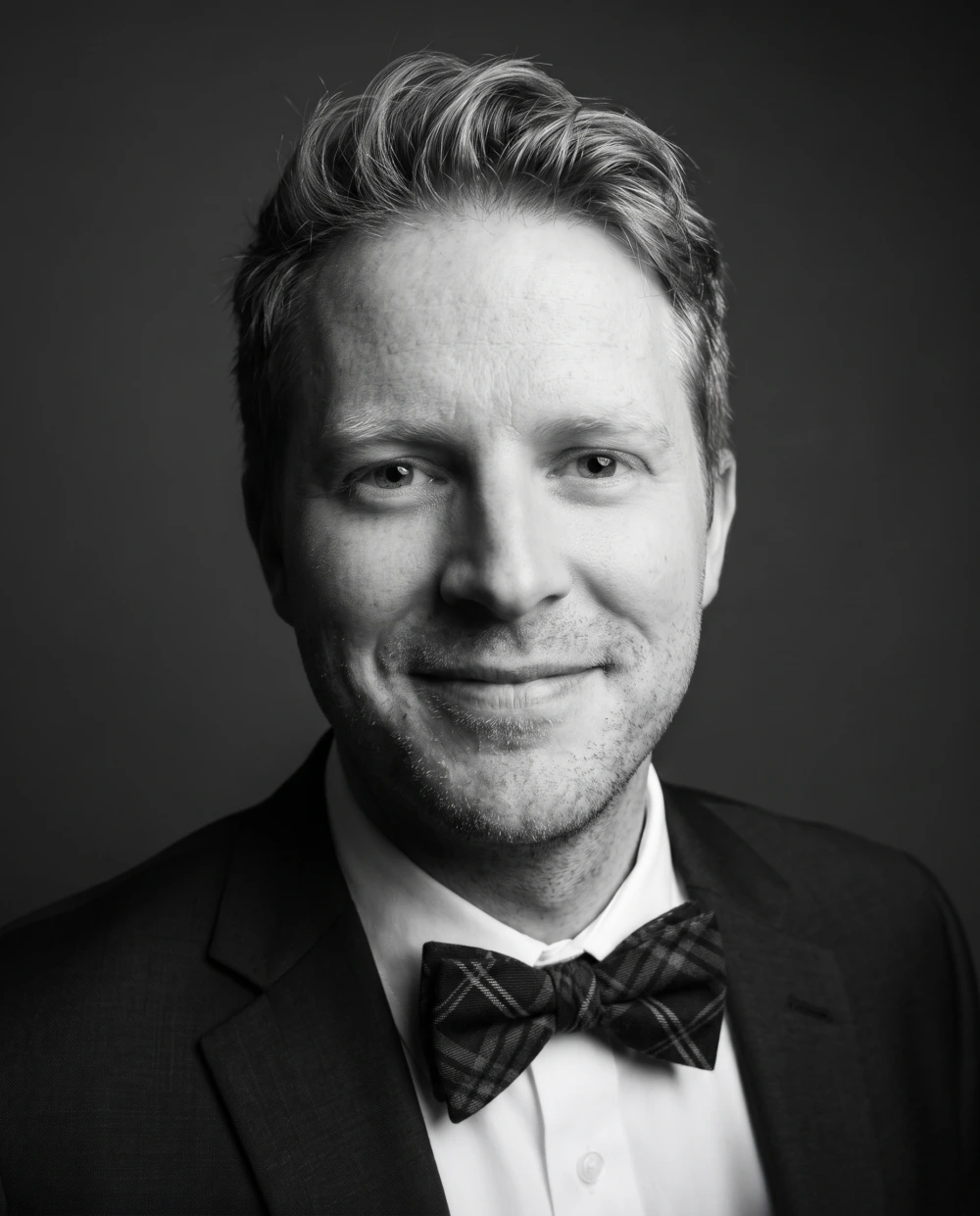
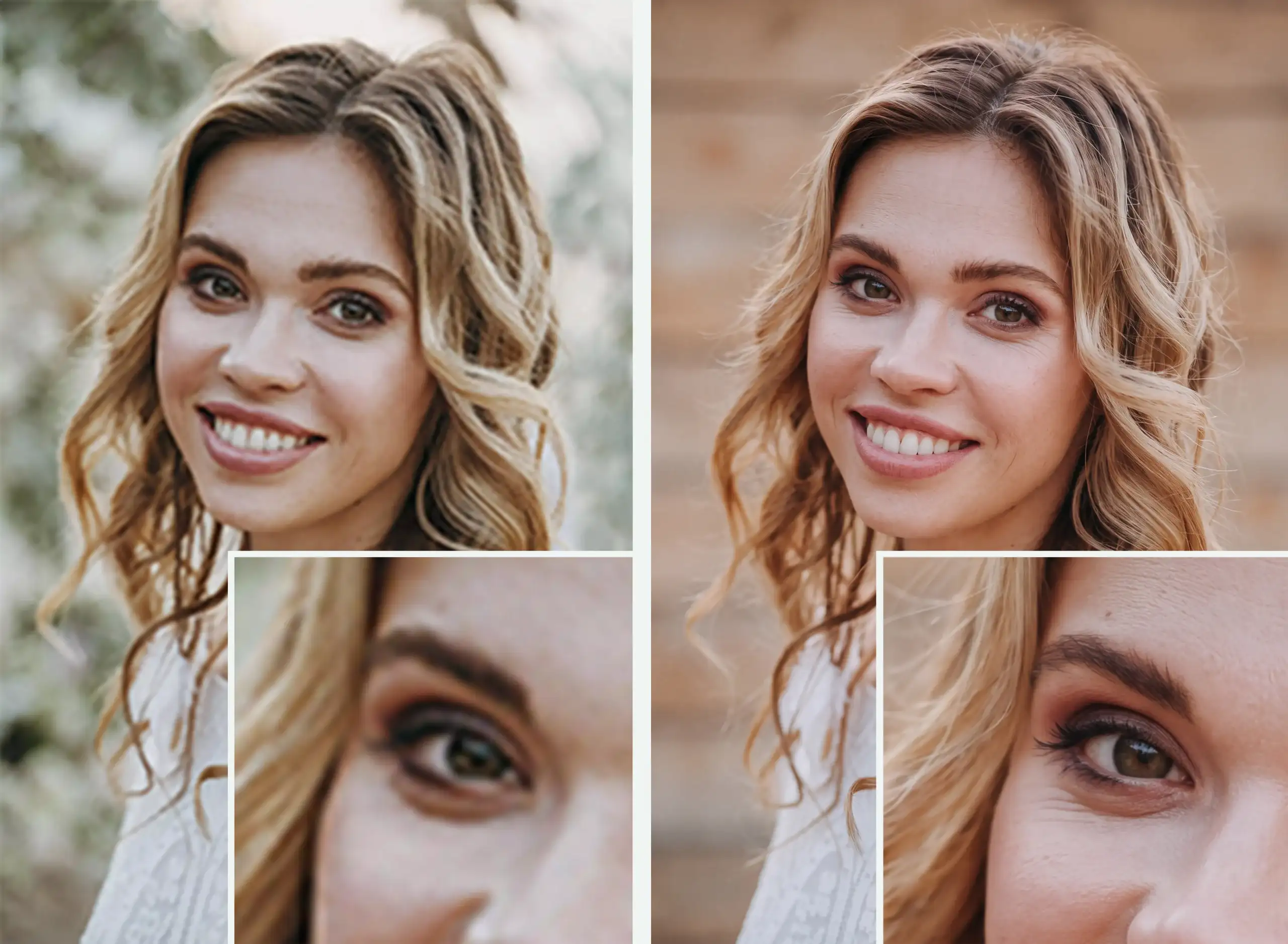
This is what it looks like in practice. An ordinary wedding photo taken on a phone shows a crowd of guests and purple light. After improvement, it becomes a portrait that can stand on an easel at the service — in colour, in black and white or in a warm sepia tone:


The most important things stay the same: the face, the smile and the hairstyle. We don’t beautify anyone or make them look younger — family and friends should recognise the person at first glance.
Which photo to choose for improvement
You don’t need a perfect photo. One where the face can be seen clearly is enough. A few simple rules:
- The face matters more than sharpness. A slightly blurry photo with a natural smile is a better choice than a sharp one where your loved one is turning away or squinting. We can fix sharpness, but not the expression.
- A face seen from the front or slightly from the side. The eyes should be open and visible, without dark glasses or shadow from a hat.
- The background doesn’t matter. A wedding, a garden, a street, a family meal — we replace the background with a calm, even one.
- A group photo can work too, as long as the face isn’t very small. You don’t need to cut anything out — send the whole photo and say in the notes which person it is, for example “third from the left”.
- An old print can work too. Photograph it with your phone by a window, without the flash, or have it scanned at a photo shop. We remove scratches, creases and yellowing.
- Send the original, not a copy. The larger the file, the better the result. Send a photo from WhatsApp as a Document, and ask whoever posted a photo on Facebook for the original.
- Have several photos? Choose the one where your loved one looks most natural — the way the family remembers them.
For more on preparing the photo, from getting the original to printing it, see our guide How to prepare a photo for a funeral.
What we improve in the photo
Every photo is different, but we most often improve:
- the sharpness of the face, eyes, eyebrows and hair,
- grain and blur in photos taken on a phone,
- paper texture, yellowing, scratches and creases on old prints,
- colours — we remove casts from lamps and bring back natural skin tones,
- the background — we replace it with a calm background in one of eleven shades or leave it as it is,
- the crop — we fit the photo to the size you want to print.
If you want the look of a portrait from a photo studio, choose the express option: our retoucher also works on highlights and shadows and retouches the figure.
We don’t change facial features or expression. If something must stay exactly as it is in the photo — glasses, a birthmark, a hairstyle — say so in the notes for your order. You can also ask there for a black-and-white or warm sepia portrait.
How to order photo improvement
Photo improvement is a digital service. There is no courier to wait for, and you can print the finished photo anywhere in the world.
- Upload the photo on the order page — from a computer or a phone, without creating an account.
- Choose the delivery time, print size and background. Add a note about anything we should watch out for, and pay online.
- We improve the photo and email you a link to the finished file.
- Download the file and print it at a local photo shop, or pass it on to your funeral director.
Price and delivery time
- Delivery within 72 hours — €25. We remove paper texture, grain and yellowing, bring back facial detail and crop the photo to the size you give.
- Express delivery within 24 hours — €45. Everything from the standard option, and our retoucher also corrects highlights and shadows and retouches the figure. Orders placed before 12:00 Polish time are delivered within 24 hours; anything later moves to the next working day.
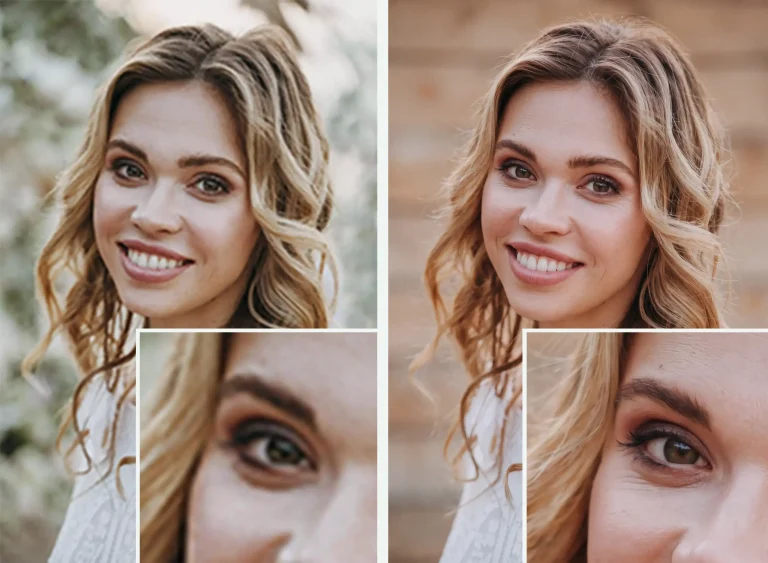
Original on the left, restored file on the right
Photo restoration
for headstones and funeral ceremonies
The service is for funeral homes, stonemasons and private individuals who need a photograph improved quickly — in time to have it printed by a local photographer for the ceremony, or prepared for use on a headstone.
We also restore photographs in very poor condition — we remove paper texture, grain and yellowing, bring back sharpness in the face and hair, and crop the frame to the format you choose. We hand over the print-ready file as a link you download to your computer.
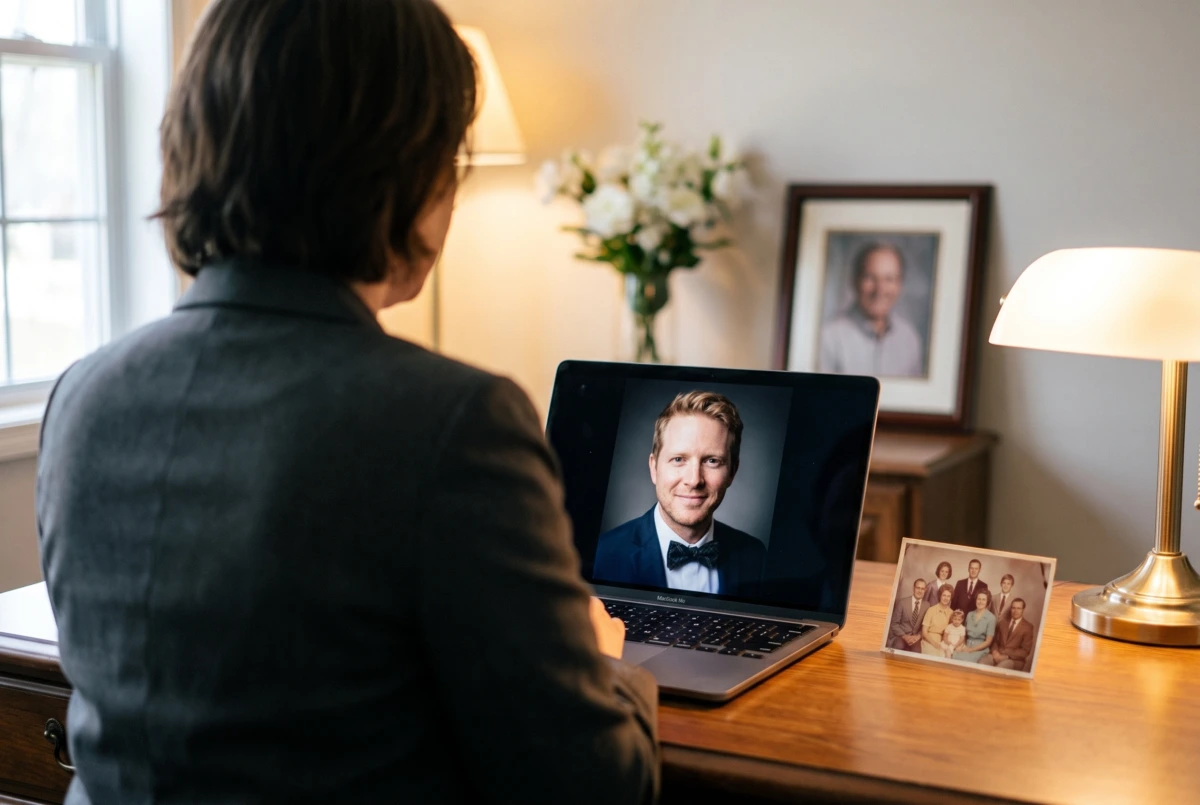
For families: ready in time for the service
In the UK a funeral usually takes place one to three weeks after a death, but the photo is needed earlier — for the order of service, which is printed in advance, and often for the screen at the crematorium. So:
- choose the photo straight away, even if it isn’t perfect — we will take care of the rest,
- with a week or more to go, delivery within 72 hours is usually enough; choose express when the order of service is about to go to print,
- take the finished file to a photo shop, and send the same file to the order of service printer and your funeral director,
- if the family lives in different towns or countries, everyone can print the same portrait where they are.
The improved file will be useful later too — for a memorial card, an online tribute or a glass headstone plaque with a photo.
For funeral directors and stonemasons
Funeral directors and stonemasons receive photos of very different quality: phone pictures of old prints, images saved from social media, creased photographs from years ago. The family is counting on the portrait beside the coffin and the photo on the memorial looking good.
- Accept any photo from the family — even a poor one — and order its improvement from us. You don’t need a designer in-house.
- You can order in your company’s name, giving the company name and VAT number.
- You receive the file cropped to the size you need — a portrait for an easel, a photo for a plaque or a custom size.
- Print it in-house or at a photo shop you work with; with the express option you can meet even an urgent deadline.
If you regularly prepare memorial photos or funeral portraits, take a look at our cooperation for funeral directors and stonemasons.
Frequently asked questions
Can a very poor photo be improved?
Usually, yes — we improve blurry, grainy, discoloured and damaged photos. The limit is a face that can barely be seen: if it is very small or badly blurred, we can’t bring back details that aren’t in the photo.
Will the person still look like themselves?
Yes. We don’t change facial features, expression or hairstyle. We improve the quality of the photo, not the person’s appearance.
Can I order a black-and-white or sepia portrait?
Yes. Just say so in the notes for your order.
What size should the funeral portrait be?
For an easel, sizes such as 30 Ă— 40 cm (12 Ă— 16 in) or 40 Ă— 50 cm (16 Ă— 20 in) work well. Choose the size in the order form, and we will crop the photo so the photo shop can print it straight away.
Can a funeral director order improvement for a family?
Yes. You can order in the company’s name with its VAT number, and we will send the link to the file to the company’s email address.
You are based in Poland. Can I order from the UK?
Yes. You place and pay for the whole order online, and you print the finished file at a photo shop wherever you are.
In summary
Even an ordinary phone photo can become a dignified portrait for a funeral:
- Choose a photo where the face and a natural expression can be seen clearly — we will fix the sharpness.
- Send the original, not a copy from a messaging app.
- Order photo improvement online — with the funeral close, choose express.
- Download the finished file from the email and print it at a local photo shop.
Only have an old or blurry photo?