


How to prepare a photo for a funeral: choosing, printing and restoring it
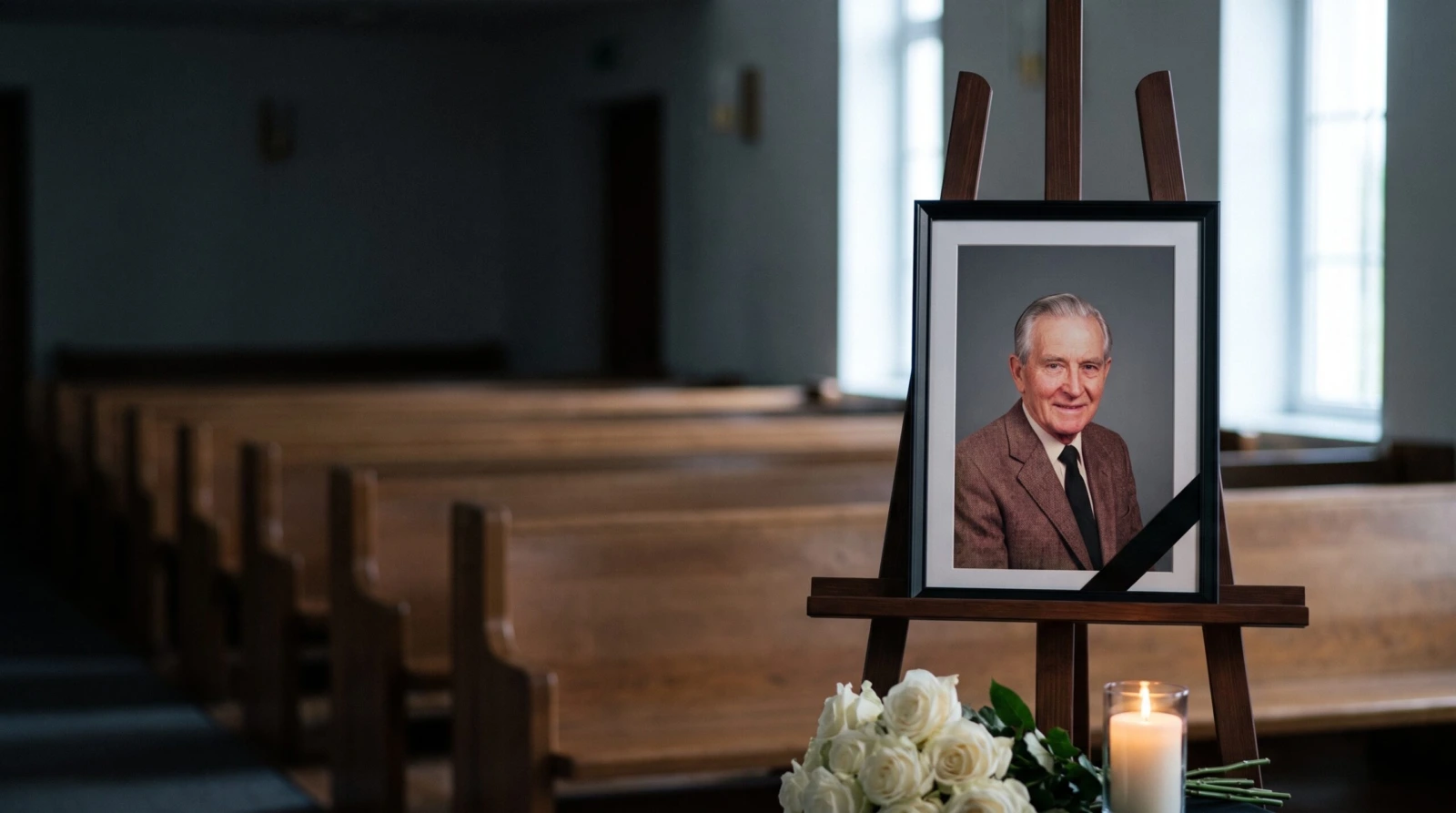
Which photo to choose, how to get a file good enough to print, and what to do when the only picture you have is old or blurry.
Contents
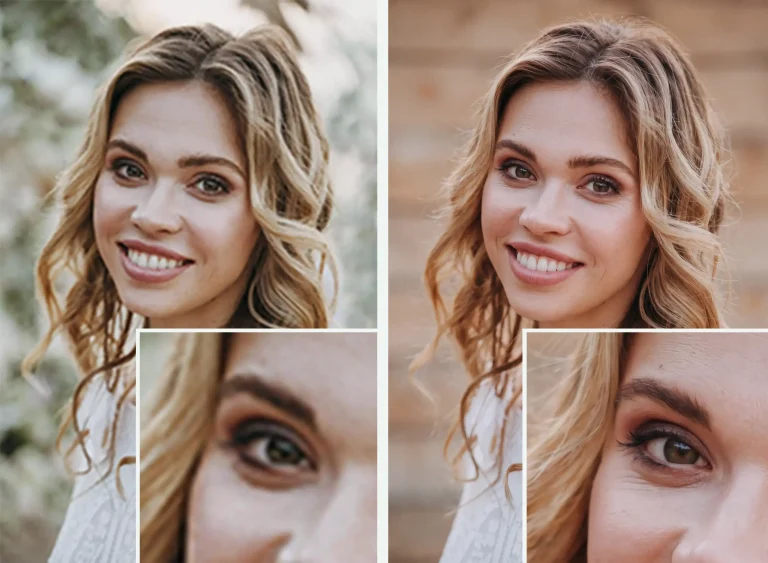 Only have an old or blurry photo?
How do you prepare a photo for a funeral when there is so much else to arrange? The picture that will stand beside the coffin or urn — and often appear on the order of service — has to be chosen, turned into a good file and printed, sometimes from the only print left in a drawer.
This guide takes you through it step by step. We have drawn on the experience of funeral directors and photo labs in the UK and in other countries, from Spain, where a funeral usually takes place within two days, to Japan, where a funeral portrait is prepared in a few hours. If you are mainly wondering which photo to choose, you may also find our guide to choosing a photograph for the funeral helpful.
Further on, we also show how we can help from a distance: we restore the photo and email you the finished file, so you can print it at a photo shop near the service — wherever you live.
How much time do you have?
In the UK, a funeral usually takes place one to three weeks after a death, and waits of three weeks or more are now common. That sounds like plenty of time, but the photo is needed before the day itself: for the order of service, which has to be printed in advance, and often for the screen in the crematorium chapel. Ask your funeral director when they need it.
How do you prepare a photo for a funeral without a last-minute rush? A simple plan:
- As soon as the date is set — choose. Pick two or three photos, get the originals or scan the prints, and check they are large enough to print.
- Next — fix what needs fixing. If a photo needs restoring, order it early. With a week or more to go, the standard option is usually enough; choose express when the order of service is about to go to print.
- A few days before — print and send. Print and frame the portrait locally, and send the same file to the order of service printer and to your funeral director for the screen.
- On the day. The portrait stands on an easel beside the coffin or urn. Keep the file on your phone — you may need it again for a memorial card or an online tribute.
How to choose a photo for the funeral
Don’t settle on one photo straight away — set aside two or three. The loveliest picture often turns out to be too small or out of focus, while the second choice prints perfectly well.
- A face everyone recognises. Neighbours, colleagues and distant relatives will come to the funeral. A photo from recent years usually works best — one where your loved one looks the way most people remember them, not necessarily the youngest.
- A photo from before the illness. Pictures taken in hospital, with a drip or with visible signs of illness, are best replaced with earlier ones. Funeral guides in Korea and Ukraine give the same advice: the background or clothing can be changed later, but the face should not be.
- Sharp eyes, soft light. We recognise a face by the eyes, so they need to be sharp. Avoid photos taken in harsh sunlight, with half the face in shadow or with flash glare on glasses.
- A face that isn’t too small. Japanese funeral guides suggest a simple test: on a print, the face should be bigger than a 10-yen coin — about the size of a pound coin.
- Colour or black and white. Both work well. Black and white hides the discolouration of old prints, while colour feels closer to everyday memories. Keep the colour version too — you may want it later, for example for a headstone plaque.
- What the family thinks. Choose the photo together. Sometimes the answer is already there, because your loved one pointed out a favourite photo during their lifetime.
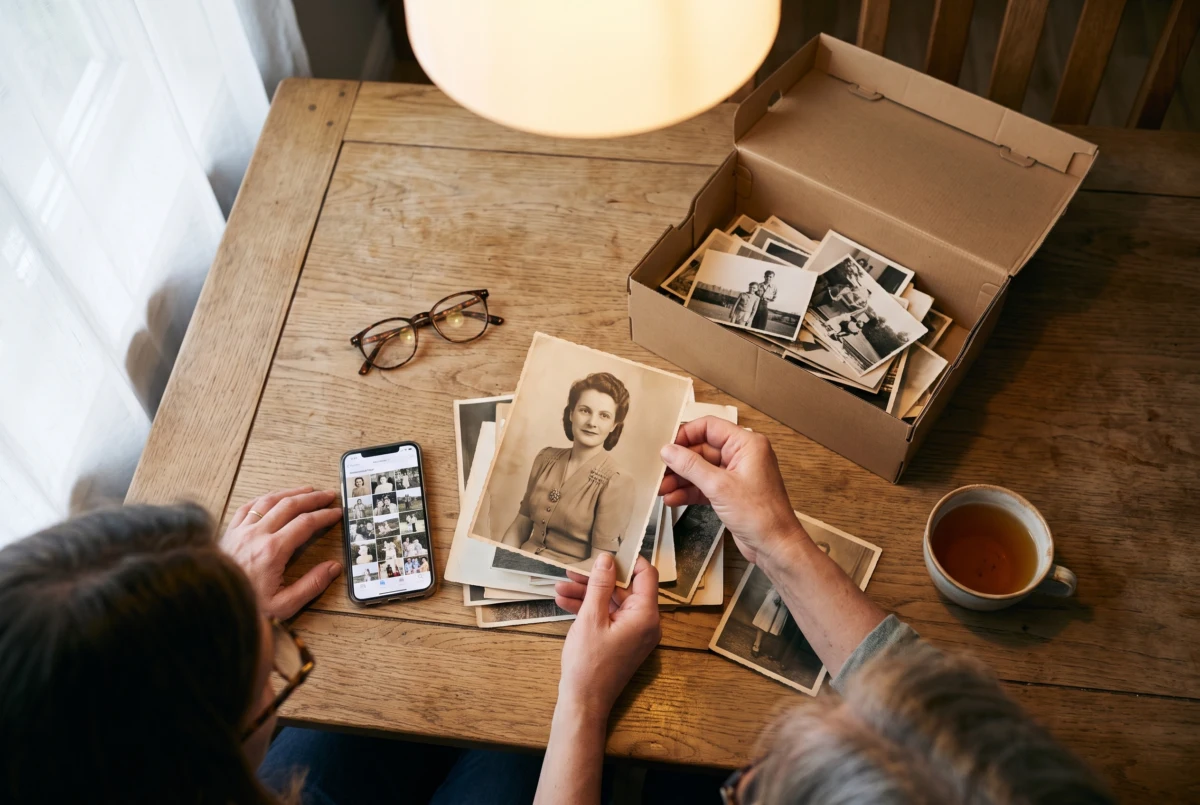
Get the original photo, not a copy
A photo that looks fine on a phone screen can come out blurry on a large print. This usually happens when the print is made from a copy sent through a messaging app or saved from the internet, rather than from the original. A few simple rules:
- WhatsApp: send the photo as a Document, not as an ordinary photo — only then does it arrive in full quality.
- Messenger: avoid it for photos you want to print, because it reduces their quality.
- Facebook and Instagram: a photo saved from a profile is a smaller copy. Ask whoever took it for the original from their phone.
- Mail on an iPhone: when the phone asks about the image size, choose Actual Size.
- A screenshot is not good enough to print — use it only as a reminder of which photo to look for.
An old print? Scan it with your phone
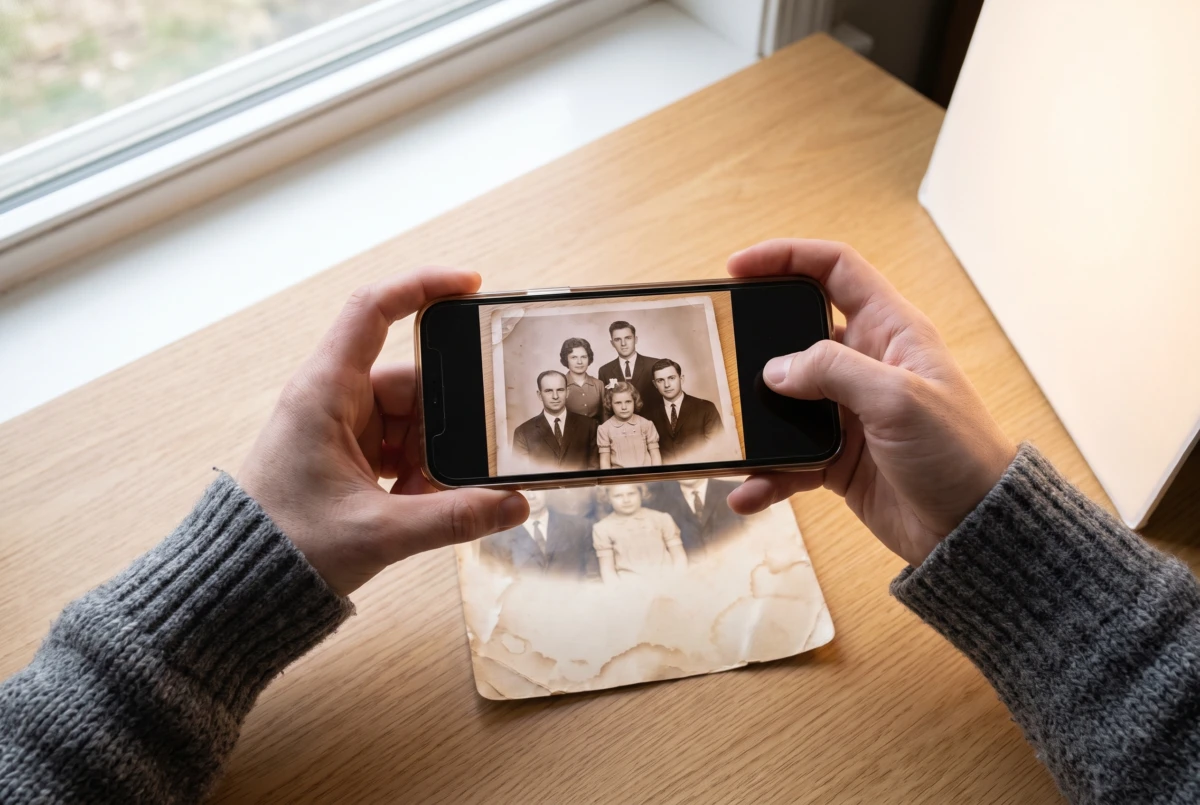
If the best photo is a paper print, you don’t need a scanner. A phone and a window will do.
- Take the photo out of its frame and from behind the glass — glass reflects light.
- Lay the print flat near a window, in soft daylight, out of direct sun. Turn off the flash.
- Hold the phone level, directly above the photo. Don’t zoom in on the screen — move the phone closer until the print fills the frame.
- If you see glare on the paper, tilt the phone slightly or move the photo away from the window.
- Take a few shots and keep the sharpest. Don’t add filters.
You can also take small or damaged prints to a photo shop and ask for a high-resolution scan.
What size photo do you need to print?
A portrait on an easel is seen from a few steps away, so the photo doesn’t have to be huge. It just needs at least as many pixels as shown in the table. You can check this on your phone in the photo details — usually under the “i” icon.
| Portrait size | The photo should be at least |
|---|---|
| 13 × 18 cm (5 × 7 in) | 800 × 1100 pixels |
| 20 × 30 cm (8 × 12 in) | 1200 × 1800 pixels |
| A4 | 1250 × 1800 pixels |
| 30 × 40 cm (12 × 16 in) | 1800 × 2400 pixels |
| 40 × 50 cm (16 × 20 in) | 2400 × 3000 pixels |
| 50 × 70 cm (20 × 28 in) | 3000 × 4200 pixels |
- A photo from a phone is usually enough even for a 30 × 40 cm (12 × 16 in) portrait — as long as it’s the original and your loved one fills most of the frame.
- A copy from a messaging app is usually too small for a large portrait.
- A person cut out of a group photo often looks blurry when printed. In that case, choose a smaller size or have the photo restored.
When cropping, leave a little background around the head and shoulders, because the frame will cover part of the picture.
Quick edits: what you can do yourself, and what to avoid
Simple fixes can be made in your phone’s photo editor. Always work on a copy and leave the original untouched.
It’s fine to:
- straighten the photo and crop it, leaving some space around the head,
- brighten it a little and correct the colours if it looks yellowish or bluish,
- turn it black and white if the colours of an old print have badly faded.
It’s best not to:
- smooth the face with beauty filters or make it look younger. Family and friends should recognise the person — wrinkles and all.
- add a black ribbon into the photo itself.
A black ribbon — which corner?
In many countries, including Poland, Czechia, Germany and Japan, a black mourning ribbon is placed on the frame of the funeral portrait. There is no single rule about where it goes: in Czechia it runs diagonally across the right corner, in Germany it usually sits in the top right corner, and in Japan it hangs from the top of the frame. The one thing everyone agrees on is that it must not cover the face.
If you use one, it is best as a real ribbon on the frame. After the funeral you can take it off, and the portrait stays at home as a keepsake. That is how we make our funeral portraits: the black ribbon can be moved or removed.
When does a photo need restoring?
Restoration helps when you have the right photo, but it isn’t good enough to print:
- it’s out of focus or too small for the size you need,
- an old print shows paper texture, grain, yellowing, scratches or creases,
- the background is busy — patterned wallpaper, furniture, other people — and draws the eye away from the face,
- one person needs to be cut out of a group or wedding photo.
Choose the best photo you have for restoration. If the face is very small or badly blurred, details that can’t be seen in the photo can’t be brought back. In the notes for your order, say what should stay unchanged — for example glasses, a birthmark or a hairstyle.
How Deseo Memorials can restore a photo for a funeral
Our photo restoration service works entirely online. We send the restored photo back as a digital file, ready to print, and you print it at a photo shop near the service. There is no courier to wait for, so we can help families quickly — in the UK, in Poland and anywhere else. This is what it looks like:
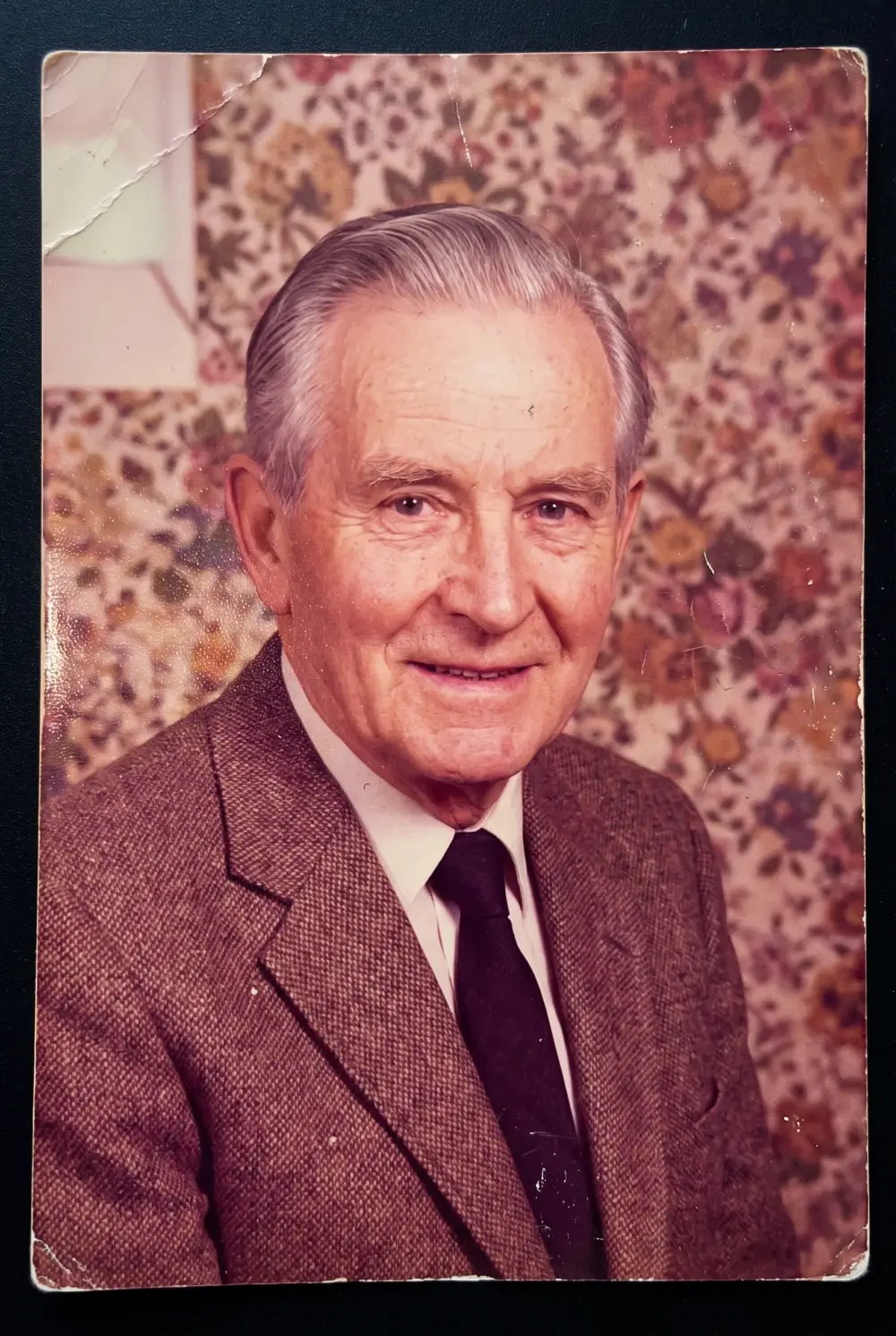
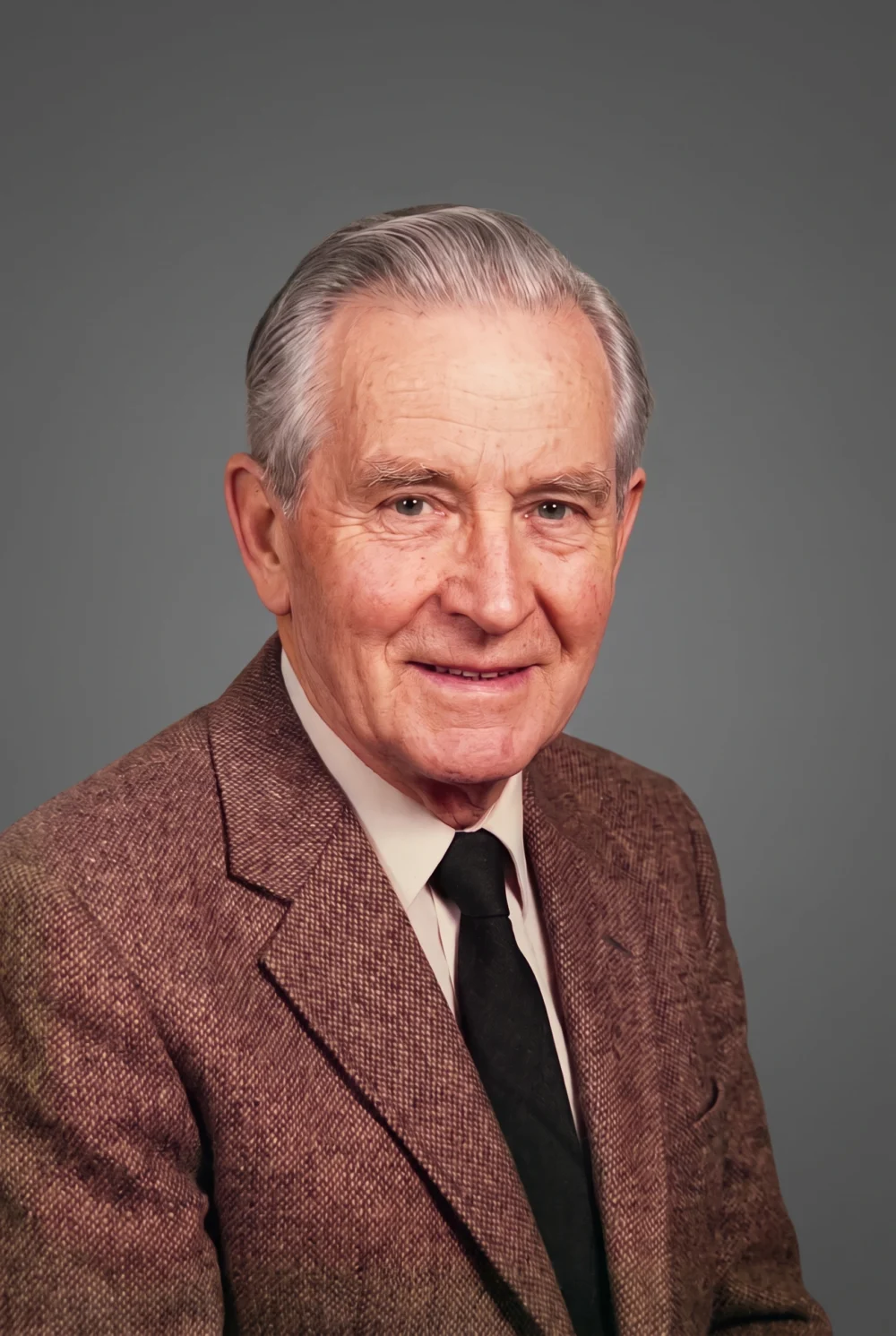
A print-ready file, wherever you are in the world
You place the whole order on a single page — no basket, no account — from a computer or a phone:
- Upload the photo. The larger the original, the better the result.
- Choose the delivery time, print size and background. Sizes range from 10 × 15 to 50 × 70 cm, or you can enter your own. You can keep the background or have it replaced with a calm, even background in one of eleven shades. Add a note about anything we should watch out for, and pay online.
- We restore the photo and crop it to your chosen size, then email you a link to the finished file.
- Download the file and print it at the nearest photo shop, or send it to your funeral director or the order of service printer.
Because nothing is sent by post or courier, distance doesn’t matter. On the express option, orders placed before 12:00 Polish time are delivered within 24 hours, so you can have the photo printed locally the next day. The service also works well when the family is spread across several countries — everyone can print the same portrait wherever they are. The same file can be used for the order of service, the crematorium screen or an online tribute. We delete your photograph 7 days after delivery.
Two delivery options
- Delivery within 72 hours — €25. We remove paper texture, grain and yellowing, bring back facial detail and crop the photo to the size you give.
- Express delivery within 24 hours — €45. Everything from the standard option, and our retoucher also corrects highlights and shadows and retouches the figure. Orders placed before 12:00 Polish time are delivered within 24 hours; anything later moves to the next working day.
Which option should you choose? If the funeral is more than a week away, delivery within 72 hours is usually enough. Choose express when the order of service is about to go to print or the funeral is only days away.
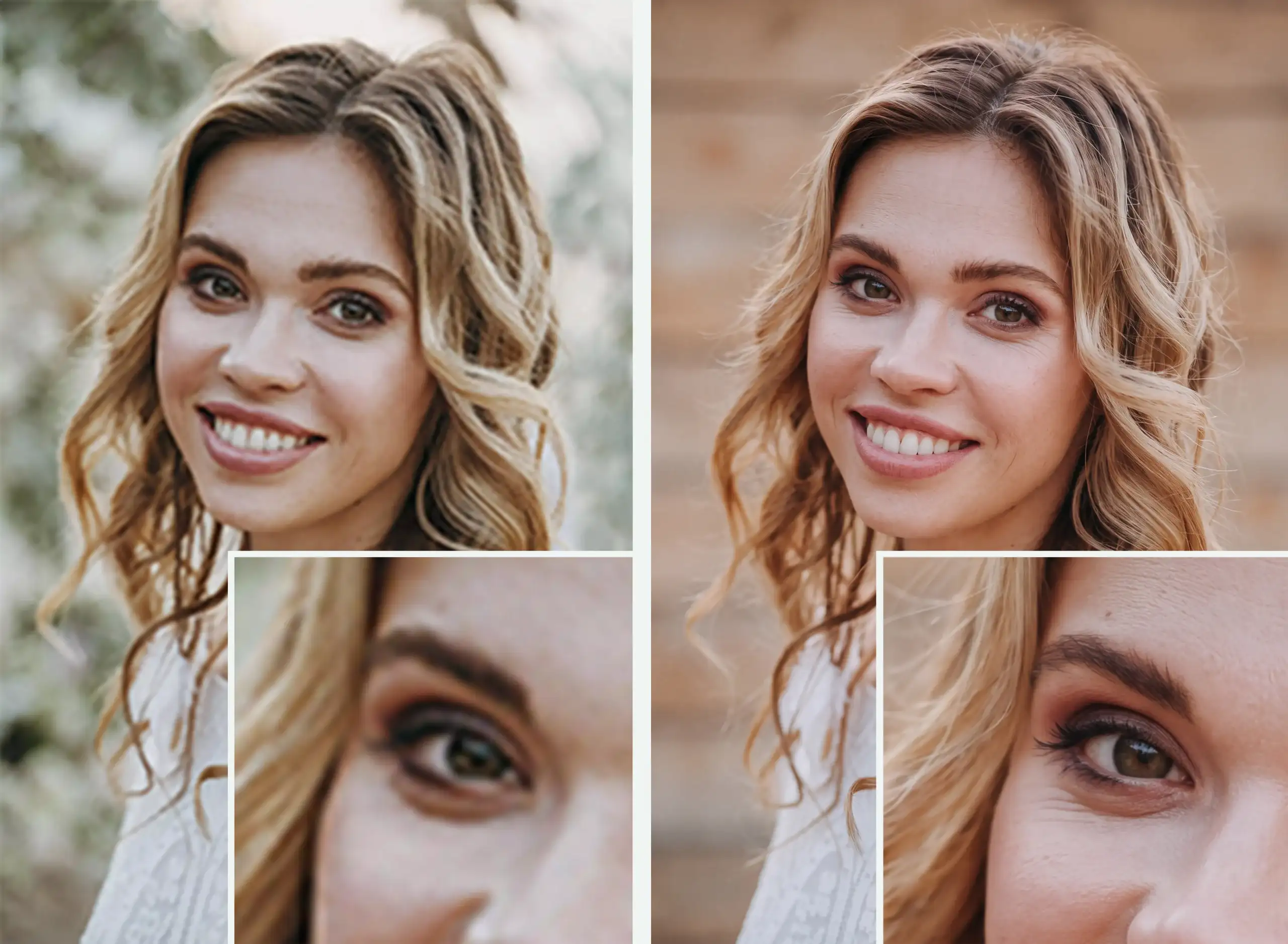 Original on the left, restored file on the right
Photo restoration
for headstones and funeral ceremonies
The service is for funeral homes, stonemasons and private individuals who need a photograph improved quickly — in time to have it printed by a local photographer for the ceremony, or prepared for use on a headstone.
We also restore photographs in very poor condition — we remove paper texture, grain and yellowing, bring back sharpness in the face and hair, and crop the frame to the format you choose. We hand over the print-ready file as a link you download to your computer.
Would you prefer a framed portrait?
Instead of just the file, you can order a ready-made funeral portrait: a portrait in a delicate floral setting, printed on matt photo paper that reduces glare from lamps and windows, in a thin or thick black frame, with a black ribbon. Sizes range from 13 × 18 to 40 × 50 cm. We prepare the design within 24 hours of receiving your photos; printing and framing take 2–3 working days, plus delivery. If the funeral is sooner, choose the digital version without a frame and print it locally — we’ll send the file by email.
How other countries do it
Families all over the world prepare a photo for a farewell — and almost everywhere in a hurry. A few ideas worth borrowing:
- Poland: a portrait on an easel within days. A funeral usually takes place a few days after a death, so there is little time. The portrait stands on an easel beside the coffin or urn, often with a black ribbon on the frame.
- Spain: one photo, several uses. A funeral usually takes place within two days, so families prepare one photo straight away for several purposes: a frame beside the urn, memorial cards and the screen in the funeral home.
- Japan: a portrait in a few hours. The wake is often held the day after a death, so the funeral home prepares the portrait within hours — replacing the background and, if the family wishes, the clothing. Almost half of the Japanese people asked in a survey would like to choose their own funeral photo.
- Korea: a “long life” portrait. Older people have their portrait taken in advance, often at free photo sessions run by local districts. The family then doesn’t have to search for a photo in a hurry.
- France and Italy: a calm background. French studios offer families a choice of backgrounds, and on Italian death notices the photo is usually cut out from its surroundings.
- Czechia: the photo on a screen. Some Czech funeral halls show the photo on a large screen instead of an easel, so a good digital file matters more than a print.
The lesson for the future is simple: when you take a good photo of someone close to you at a family occasion, keep it somewhere safe.
Frequently asked questions
We only have a photo on a phone. Is it good enough to print?
Usually, yes — as long as you send the original from the phone’s gallery, not a copy from a messaging app or a screenshot.
Will you be ready in time for the funeral?
On the express option, orders placed before 12:00 Polish time are delivered within 24 hours; later orders move to the next working day. With a week or more to go, delivery within 72 hours is usually enough.
You are based in Poland. Can I order from the UK?
Yes. You place and pay for the whole order online, and we email you a link to the finished file. You print it at a photo shop wherever you are — no shipping and no waiting for a courier.
Can you change the background?
Yes. In the order form you choose a calm background in one of eleven shades, or keep the original one. Patterned wallpaper or stray objects then no longer draw attention away from the face.
Colour or black and white?
Both are fine. Black and white hides the discolouration of old prints, while colour is closer to everyday memories. It’s worth keeping both versions.
Will the same file be useful later?
Yes. You can use the restored file for the order of service, an online tribute and prints for the family, and later also for a glass headstone plaque with a photo. Keep it together with the original.
In summary
You can prepare a photo for a funeral calmly, even at short notice, if you take it step by step:
- Choose two or three recent photos, taken before any illness, with sharp eyes.
- Get the original photos, or scan old prints with your phone by a window.
- Check that the photo is big enough for the size you need.
- If the photo is poor, order restoration online — with the funeral close, choose express. You will receive the finished file by email.
- Print the portrait locally on matt paper, and send the same file to the order of service printer.
- Keep the file. It will be useful more than once.